LED lights offer energy-efficient illumination, but sometimes full brightness feels too harsh for a room. Whether you want softer bedroom lighting, a relaxing living room atmosphere, or adjustable brightness for different activities, dimming LED lights can help create the right environment.
You can dim LED lights using compatible dimmer switches, smart bulbs, remote controls, or inline controllers. However, not every LED bulb supports dimming. Choosing the right method depends on your existing lighting setup.
Can You Dim LED Lights?
Yes, you can dim LED lights, provided they support dimming. Dimmable LED bulbs contain compatible electronic components that allow their brightness to change without interrupting normal operation.
Non-dimmable LED bulbs do not support this function. Connecting them to an incompatible dimmer switch can cause flickering, buzzing, inconsistent brightness, or premature failure.
Before adjusting your lighting, check the bulb packaging or manufacturer’s specifications for a dimmable label. Also, confirm that the LED driver and dimmer switch support the same dimming method.
How to Dim LED Lights
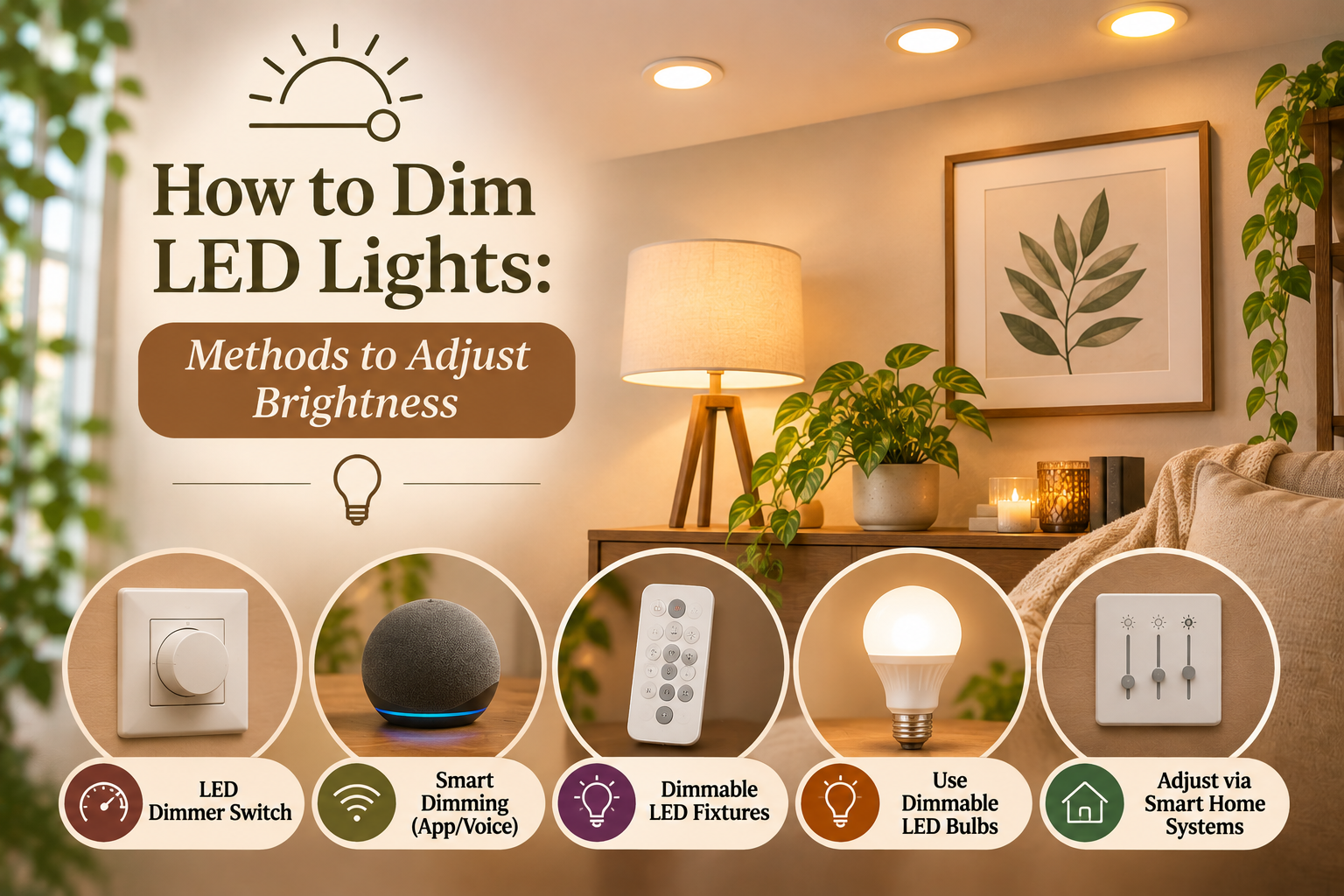
There are several ways to control LED brightness. The right option depends on whether you have conventional bulbs, integrated LED fixtures, or LED strip lights.
1. Use an LED-Compatible Dimmer Switch
An LED-compatible dimmer switch provides a convenient way to adjust brightness directly from the wall.
Follow these steps:
- Check whether your existing LED bulbs support dimming.
- Choose a dimmer specifically designed for LED lighting.
- Verify its minimum and maximum load ratings against the connected bulbs.
- Have a qualified electrician replace the existing switch if necessary.
- Turn on the lights and gradually adjust the brightness.
Some dimmers use a rotary knob, while others feature sliding controls or touch-sensitive panels. Compatible models may also offer low-end trim adjustments to prevent flickering at lower brightness levels.
2. Use Smart LED Bulbs
Smart LED bulbs allow brightness adjustments without installing a traditional dimmer switch.
Simply replace your existing bulbs with compatible smart LED models. Connect them to the manufacturer’s smartphone application through Wi-Fi or Bluetooth, depending on the product.
Open the application and use its brightness slider to increase or decrease light output. Some models also support voice commands through Amazon Alexa or Google Assistant.
One important consideration: smart bulbs generally need a regular, compatible power supply. Avoid connecting them to an external wall dimmer unless the manufacturer specifically supports that arrangement.
3. Use a Remote-Controlled LED Dimmer
Remote-controlled LED lighting systems make brightness adjustment convenient, particularly for ceiling lights and decorative lighting.
Most systems include a compatible receiver or LED controller that communicates with a handheld remote.
To adjust brightness:
- Check whether your LED fixture supports remote dimming.
- Pair the remote with its compatible controller if required.
- Press the brightness up or down buttons.
- Select a comfortable illumination level.
Depending on the system, the remote may use infrared (IR) or radio frequency (RF) communication.
4. Use an Inline LED Dimmer
An inline LED dimmer works particularly well with compatible LED strip lights and low-voltage lighting systems.
It connects between the power supply and LED strip, allowing you to control brightness through a rotary knob, slider, or touch controller.
Check the controller’s voltage, current, and wattage ratings before installation. The power supply and dimmer must also support the LED strip’s electrical requirements.
How to Dim LED Lights Without a Dimmer Switch
You don’t always need to replace your existing wall switch to reduce LED brightness.
Consider these alternatives:
- Smart LED bulbs: Replace conventional bulbs with dimmable smart models and control brightness through an application.
- Remote-controlled lighting: Use a compatible receiver and remote to adjust illumination.
- Inline dimmer: Connect a compatible controller to low-voltage LED strip lights.
- Built-in brightness controls: Use integrated dimming features available on certain LED fixtures.
Remember that reducing the power supplied to an ordinary non-dimmable LED bulb through an incompatible controller is not a reliable solution. Choose lighting specifically designed for adjustable brightness.
Why Are My LED Lights Not Dimming Properly?
LED lights may flicker, buzz, or refuse to reach lower brightness levels because of compatibility problems.
Here are some common reasons:
- Incompatible dimmer switch: Traditional incandescent dimmers may not work correctly with LED bulbs.
- Non-dimmable bulbs: Standard LED bulbs lack the components required for dimming.
- Minimum load requirements: The connected bulbs may not meet the dimmer’s minimum electrical load.
- LED driver incompatibility: The driver may not support the selected dimming method.
- Limited dimming range: Some LED combinations cannot maintain stable illumination at very low brightness.
Check the manufacturer’s compatibility recommendations before replacing components. Persistent electrical issues should be inspected by a qualified electrician.
Tips for Getting Smooth and Consistent LED Dimming
A few precautions can improve your lighting experience:
- Always purchase bulbs labeled as dimmable.
- Select dimmers specifically rated for LED lighting.
- Check minimum and maximum load requirements.
- Avoid mixing incompatible bulb types on one dimming circuit.
- Adjust low-end trim when your dimmer supports this feature.
- Follow manufacturer installation instructions.
These steps help maintain stable brightness and reduce common dimming problems.
Color temperature matters too. A warm tone like 2700K lighting feels cozier at low levels, and our guide to warm white vs daylight bulbs explains how to choose. Dim-to-warm bulbs shift to a warmer glow as they dim, which mimics the look of an incandescent bulb.
Frequently Asked Questions
Can you dim regular LED bulbs?
Only LED bulbs designed for dimming support reliable brightness adjustment. Non-dimmable models may flicker, buzz, or malfunction when connected to an incompatible dimmer.
Can you use a regular dimmer switch with LED lights?
Not always. Older incandescent dimmers may not be compatible with LED electronics. Choose a dimmer specifically rated for LED bulbs.
Can LED lights be dimmed to 10% brightness?
Some dimmable LED systems support brightness levels as low as 10%, while others have higher minimum brightness limits. Performance depends on bulb, driver, and dimmer compatibility.
Do dimmed LED lights use less electricity?
Yes. Reducing LED brightness generally reduces electricity consumption, although the actual savings depend on the bulb and its driver.
Conclusion
Dimming LED lights doesn’t have to involve complicated electrical modifications. A compatible dimmer switch, smart bulb, remote controller, or inline dimmer can help you create comfortable lighting for different rooms and activities.
Choosing suitable lighting components is equally important for smooth brightness control and reliable performance. If you’re exploring ways to improve your home’s lighting, discover the collection at Lume & Wick. Find home lighting options that complement your interiors and help create the atmosphere you want.